
For shoppers
Is my product genuine?
If your product carries a Securicode, you can check it in seconds with the free Securicode app. No account, no sign-up.
In short
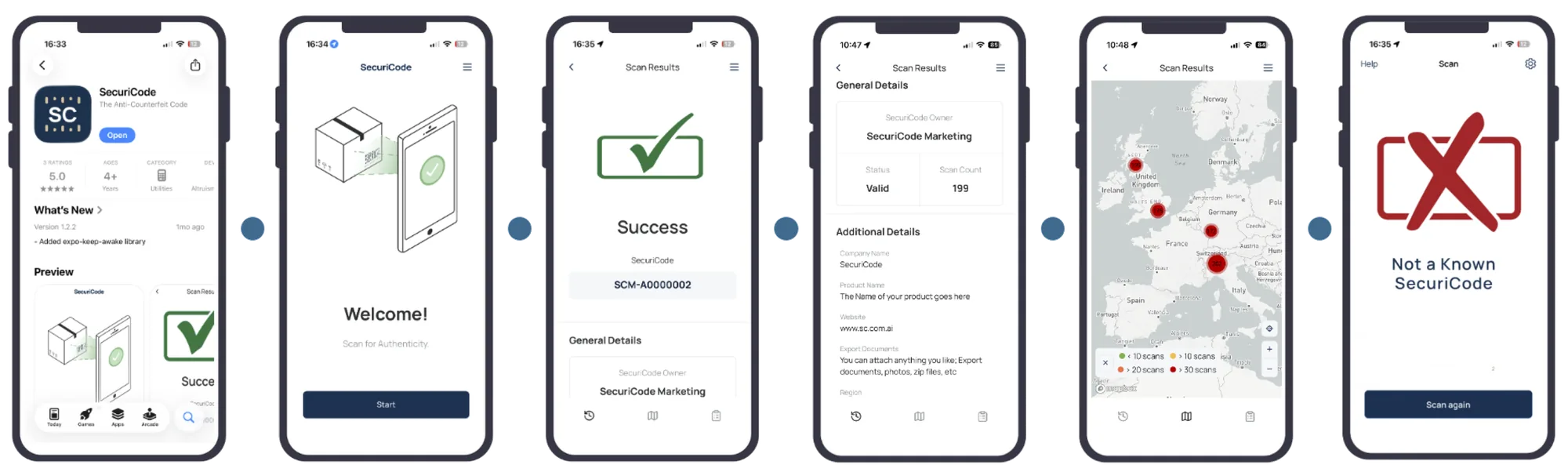
To check if a product is genuine, look for the small Securicode mark, download the free Securicode app for iPhone or Android, and scan the code. The app tells you whether the code is genuine, shows the product it belongs to, and maps where it has been scanned before. If the code does not scan, shows a cross, or has been scanned in many places, the product may be a copy.
How to check if a product is genuine
It takes a minute the first time, and seconds after that.
- 1
Find the code
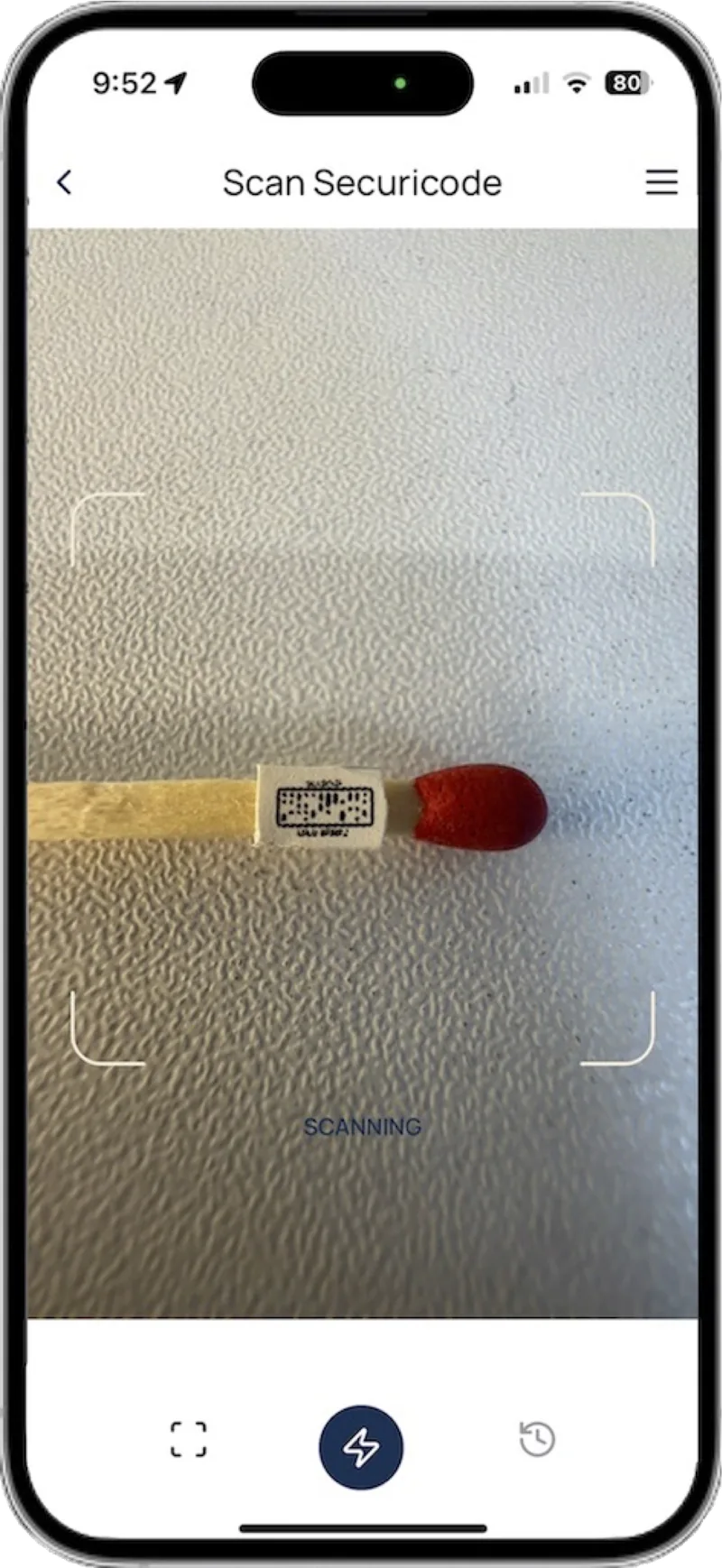
Look for the small Securicode mark on the label, cap, capsule, care label or the product itself. It can be as small as 1.2mm, so look closely.
- 2
Get the free app
Download Securicode from the App Store or Google Play. No account, name or email needed.
- 3
Scan the code
Open the app and hold your phone steady over the code, in good light.
- 4
Read the result
The app shows whether the product is genuine, the details the brand has added, and where that code has been scanned before.
Get the free Securicode app
Available for iPhone and Android.


What do the results mean?
| Result | What it means | What to do |
|---|---|---|
| Genuine | The code was issued to this brand and matches the product shown | Check the product details match what you bought |
| Genuine, but scanned many times or in many places | The code is real, but it may have been copied onto other items | Look at the scan map. If scans are far from where you bought it, report it |
| A cross | The code is not genuine, or the brand has marked it as counterfeit | Do not rely on the product. Report it |
| Did not scan | The code may be damaged or badly lit, or it may not be a real Securicode | Try again in better light. If it still fails, report it |
| No code at all | Not every product carries a Securicode | Check with the brand whether its products should have one |
What should you do if you think it is fake?
Do not throw it away yet. Keep the product, its packaging and your receipt or order confirmation. They help the brand work out where the fake came from.
Then report it to us. We pass reports to the brand owner, and you do not need to give your name.
Contact the seller or the marketplace you bought from too. Many have their own process for counterfeit claims and refunds.
Medicines, supplements, food and drink
If you think a product you eat, drink, inject or put on your skin is fake, stop using it. If you feel unwell, talk to a pharmacist or doctor.
What does your scan record?
The app does not ask who you are. There is no account, and no name or email to enter.
The app collects zero personal data. Each anonymous scan records the time, date and location, which is what lets the brand, and you, see when one code has been scanned in places a single product could not be. Scan data is hashed and encrypted.
Where might you find a Securicode?
Wine and spirits
On the label, capsule or closure of a bottle.
Supplements and medicines
On packs, vials and pen cartridges.
Clothing
Printed or woven into the care label.
Luxury goods
Etched on metal, embossed on leather, or on a tag.
Looking for the Ford SecuriCode keypad?
This Securicode is an anti-counterfeit code for products. It is not related to the SecuriCode keyless entry keypad on some Ford vehicles. For keypad codes, contact your Ford dealer.
Frequently asked questions
How can I verify the authenticity of a product?
If it carries a Securicode, scan it with the free Securicode app. If it does not, follow the brand's own guidance, buy from authorized sellers, and be wary of prices far below normal.
Is the Securicode app free?
Yes. It is free on iPhone and Android.
Do I need to create an account?
No. The app does not ask for an account, a name or an email address.
Why does my code show scans in other countries?
Products travel, as gifts or through resale, so one or two distant scans can be normal. Many scans spread across distant places usually mean the code has been copied. If in doubt, report it.
Can I check a product without the app?
No. Verification has to happen inside the Securicode app because it is a closed loop. The result cannot be faked by a lookalike website, brand data never passes through third parties such as phone makers or browsers, and criminals or unauthorized factories cannot hide their real location behind a VPN. If a code sends you to a website instead, it is not a Securicode check.
Is this the Ford SecuriCode?
No. Securicode the anti-counterfeit company is not related to the SecuriCode keyless entry keypad found on some Ford vehicles.
Keep reading
Own a brand? Let customers check your products
Apply for access to put Securicodes on your products, or book a demo to see a live scan.