


Compare
Securicode vs QR codes for product authentication
QR codes are excellent at sharing information. They were never designed to prove a product is genuine. Here is the difference, and how the two work together.
In short
A standard QR code cannot authenticate a product, because anyone can create one for free and a copied QR code works exactly like the original. Secure QR codes add a copy-detection pattern that can catch some photocopies, but the QR itself stays open. Securicode is a closed-loop code that only approved brands can create, verified in a free app, with every scan logged so copies expose themselves.
Open vs closed issuance
Can QR codes be counterfeited?
Yes, and easily. A QR code is an open standard. Free generators create one in seconds, and a photocopy or photo of a genuine QR code scans exactly like the original. Nothing in the code tells a phone who made it.
That is the core difference. QR codes use open issuance: anyone can make one. Securicode uses closed issuance: codes are created only by Securicode and issued only to brands we have vetted. A made-up Securicode does not verify, because it does not exist in our database.
A photocopied Securicode still points to one genuine product. When the same code is scanned far more often than one product would be, or in two cities it could not reach in time, it shows up on the brand's map as a likely copy.
Does a dynamic QR code stop counterfeits?
No. This is the most common misunderstanding we hear. A dynamic QR code lets the brand change where the code points after printing. That is useful for marketing. It does nothing to stop a counterfeiter.
Counterfeiters do not need to hack your dynamic QR code. They simply print their own QR code that points to their own website, styled to look like yours, and the shopper sees a page that says the product is genuine. To the phone, both codes are equally valid.
A closed-loop code avoids this because the check always happens inside the Securicode app, against Securicode's database. A code cannot send the shopper anywhere else.
Fake QR codes and QR code scams
Fake QR codes are also used in scams that have nothing to do with products, such as stickers placed over parking meter codes that lead to payment pages. Government consumer agencies have published warnings about QR code scams. For brands, the lesson is the same: a QR code tells you where it goes, not who made it. If a product code sends you to a page asking for payment or login details, treat it as suspicious and report it.
Securicode vs standard QR vs secure QR
How the three compare for authentication. Secure QR products vary by vendor.
| Securicode | Standard QR code | Secure (copy-detection) QR | |
|---|---|---|---|
| Who can create a working code? | Only vetted brands, via Securicode | Anyone, free | Vendor issues the secure pattern; the QR is open |
| Made-up codes | Do not verify | Work like any other | QR works; the secure pattern fails |
| Photocopied codes | Flagged by scan count and movement | Work exactly like the original | Often detected on the first scan |
| Where the check happens | Inside the free app, closed loop | Any website the code points to | Usually a vendor web page |
| Needs an app | Yes | No | Usually no |
| Every scan logged with time and place | Yes | Only if the brand adds tracking | Usually |
| Minimum practical size | From 1.2mm | Larger, depends on content | Needs high quality print |
| Ongoing fees | None | Common for dynamic QR | Platform fees usual |
General comparison only. Ask any vendor, including us, to show you how a copy is detected.
What is a secure QR code?
A secure QR code is a normal QR code with an added security feature, usually a copy-detection pattern. This is a fine printed texture that loses detail when it is photographed and reprinted. A scanner compares the pattern with the original and can flag a copy, often on the very first scan.
We think that is a genuinely useful feature, and it does something scan-history systems like Securicode cannot: catch a single copy before anyone else has scanned it. The trade-offs are that printing must be tightly controlled, the QR part remains open, and very small items are hard to fit.
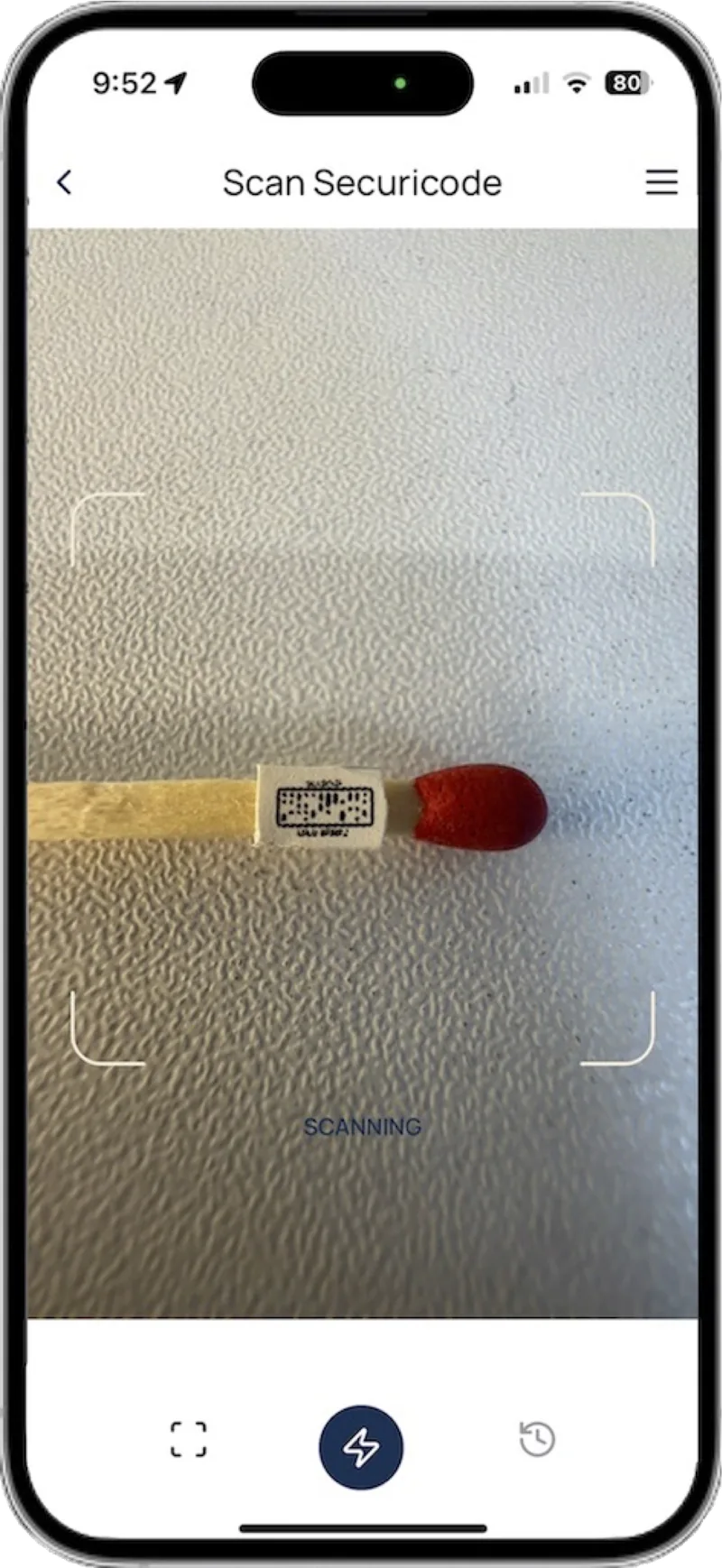
Securicode takes a different approach. Because it only verifies inside the app, and every scan is logged with time, date and location, copies expose themselves through behavior over time. At 1.2mm it can also sit on the product itself, such as a bottle neck, a vial or a care label.
When a QR code is still the right tool
Digital Product Passports
EU DPP rules require open standards, such as GS1 Digital Link QR or Data Matrix. A DPP needs a QR or similar open code. Securicode works alongside it.
Marketing and information
Recipes, instructions, offers and videos. Anyone can scan a QR code with a phone camera, with no app needed.
Retail checkout
GS1's move to 2D barcodes at retail point of sale by the end of 2027 means the QR code is becoming the single on-pack product code.
Using a QR code and Securicode together
Most brands do not have to choose. Each code does one job well.
- 1
QR for information
Your GS1 Digital Link QR code or DPP code carries product details, ingredients, care instructions and marketing.
- 2
Securicode for proof
A Securicode beside it, or on the product itself, verifies the item is genuine and logs every scan.
- 3
One view of every scan
You see where Securicodes are scanned on a map, with alerts when a code looks copied.
Frequently asked questions
Can QR codes be counterfeited?
Yes. Anyone can generate a QR code for free, and a photocopy of a genuine QR code scans exactly like the original. A QR code shows where it points, not who created it.
Is a dynamic QR code secure against counterfeits?
No. A dynamic QR code lets you change its destination, but counterfeiters just print their own QR code pointing to their own fake page. The phone treats both codes the same way.
What is QR code authentication?
QR code authentication usually means a QR code linked to a database or a copy-detection pattern that helps confirm a product is genuine. A standard QR code on its own cannot authenticate anything, because anyone can create or copy one.
How can I tell if a QR code is fake?
You often cannot by looking. Be wary if a product code opens a page asking for payment or login details, or a web address that does not match the brand. With Securicode, the check happens inside the app, so a fake code cannot redirect you. How to verify a product.
Can I use Securicode and a QR code on the same product?
Yes, and many brands should. The QR code carries product information or your Digital Product Passport, and the Securicode proves the item is genuine. How it works with a DPP.
Keep reading
Make every product provable
Apply for access to create Securicodes for your brand, or book a demo and we will show you a live scan.