


How it works
The dashboard: counterfeit tracking on a live map
Every code and batch on one map. See where products are scanned, get alerts when a code behaves like a copy, and act on the evidence.
In short
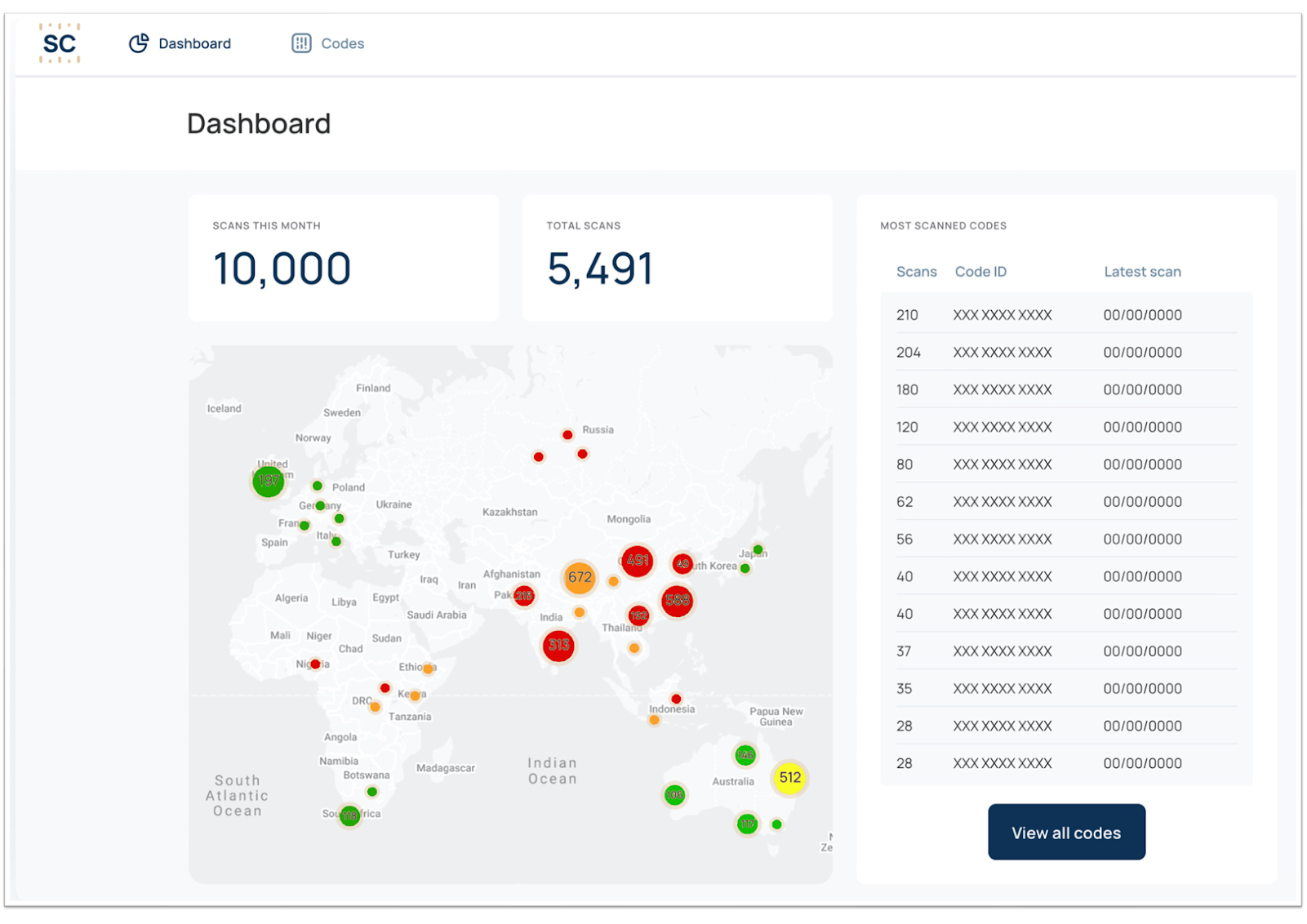
The Securicode dashboard is where brands track counterfeits. It shows every code and batch on a map with the time, date and location of each scan, shows each code as a map dot that changes color every 10 scans (green, yellow, orange, then red over 30), flags impossible movement, and lets you mark codes as counterfeit or stolen. It is physical brand protection: it watches your actual products, where online tools only watch listings.
Inside the dashboard
What can you do on the dashboard?
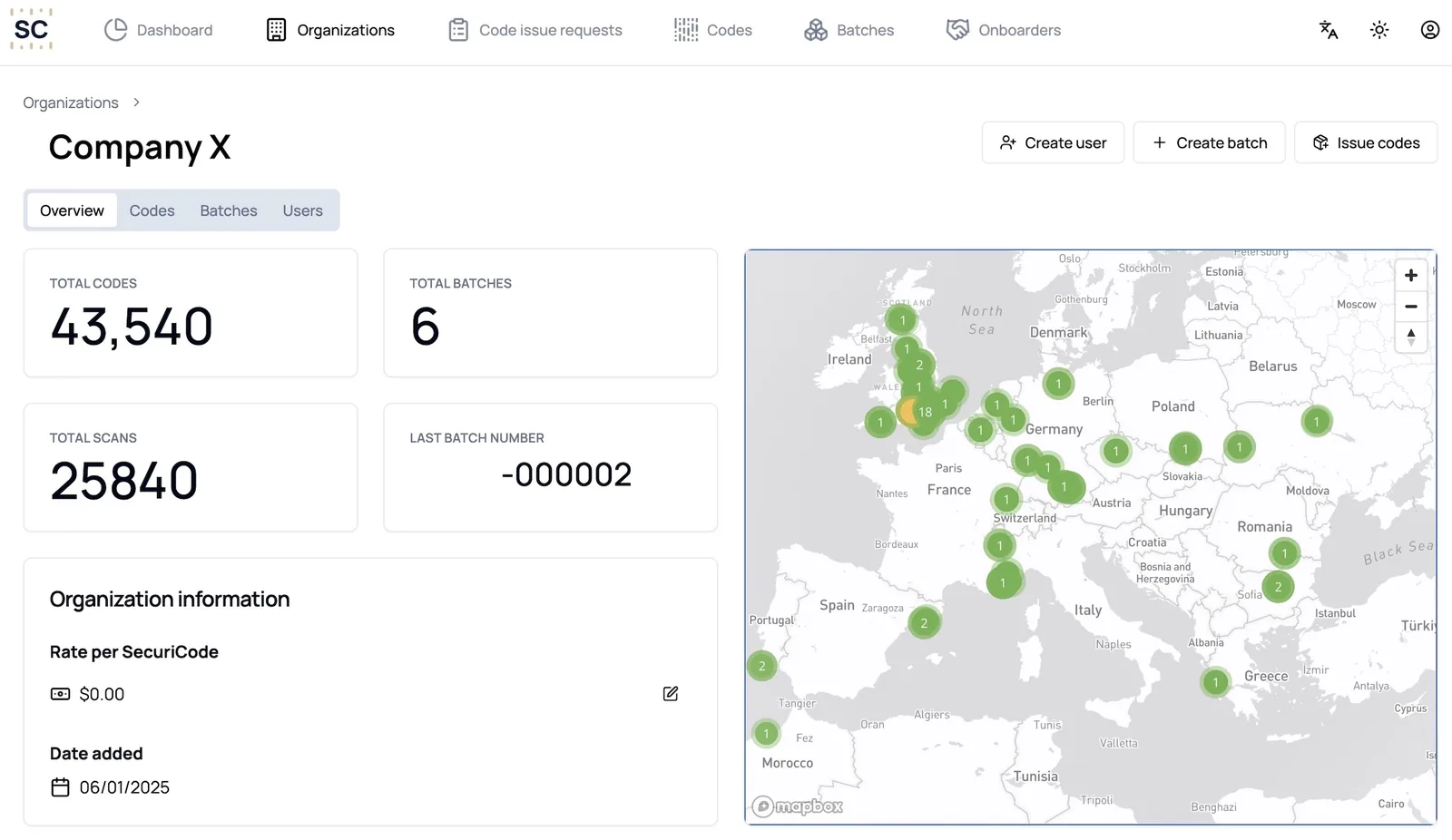
Every code on a map
See all batches together or one batch at a time, with each scan pinned to where it happened.
Scan volumes
Track how often codes are scanned by batch, product and market.
Copy alerts
Each code shows as a map dot that changes color every 10 scans (green, yellow, orange, then red over 30), so a code scanned far more than one product should be stands out.
Impossible movement
Spot the same code scanned in places too far apart in too short a time.
Mark counterfeit or stolen
Codes never deactivate. Switch a code, a batch or a whole pallet to counterfeit yourself, and back to genuine if stock is recovered.
Controlled sharing
Give partners, investigators or law enforcement access, only if you choose to.
How does counterfeit tracking work day to day?
Most days the map simply shows your products being scanned where you sell them. That is useful on its own. It tells you which markets are active and which products customers check most.
The value shows up when something breaks the pattern. A code from a batch shipped to one country starts scanning in another. A single code is scanned far more often than one product ever would be. The same code appears in two cities on the same afternoon.
Each of these appears on your dashboard with the full scan history behind it, so your team can decide what to do next with facts in hand.
Physical brand protection vs online brand protection
Most brand protection software watches websites and marketplaces. That matters, but it only sees listings. The Securicode dashboard watches the products themselves.
| Online brand protection tools | Securicode dashboard | |
|---|---|---|
| What it monitors | Marketplace listings, websites and social media | Scans of the physical codes on your products |
| What it finds | Suspicious listings and sellers | Copied codes, diverted stock and stolen goods, where they are scanned |
| Covers offline sales | Limited | Yes, any scan, anywhere |
| Evidence it produces | Screenshots and listing records | Time, date and location records for each scan |
| Customers can check a product | No | Yes, with the free app |
The two approaches work well together. Online tools find suspicious sellers. Securicode shows which products are real.
When a code looks copied
What happens when the dashboard flags a code?
- 1
You are notified
An alert appears on your dashboard and can also be sent by email when a code changes color on the map or shows impossible movement.
- 2
You review the history
Open the code to see every scan: where, when and how often. Compare it with where that batch was shipped.
- 3
You mark the code
Mark it as counterfeit so anyone who scans it sees a cross. Mark stolen stock the same way, and switch codes back to genuine if goods are recovered.
- 4
You act on the evidence
Share the time, date and location records with investigators and lawyers, or with partners you have given access to.
What else does the scan data tell you?
Scans are also market insight. Because each scan is located, you can see where your products actually sell and are used, which markets are growing, and where stock turns up outside its intended region.
For exporters this answers a question distributors often cannot: where did that stock end up? Combined with item to container tracking, you can trace a product found in the wrong market back to its case and pallet. That is the starting point for dealing with gray market and parallel imports.
Your data stays under your control. Your scan data belongs to your brand. Partners, distributors and law enforcement only see the dashboard if you give them access, and they see only what you share.
See it for yourself
Book a demo and we will scan a sample code while you watch it land on the map. Book a demo.
Frequently asked questions
What is counterfeit tracking?
Counterfeit tracking means watching where your products and their codes turn up, so copies and diverted stock are found quickly. Securicode does it by mapping every scan of every code and flagging scans that do not fit the pattern of a genuine product.
How do copy alerts work?
Each code appears on your map as a map dot that changes color every 10 scans (green, yellow, orange, then red over 30). The colors work the same way for every brand and batch, so a red dot always means a code has been scanned more than 30 times.
What does impossible movement mean?
The same code scanned in two places too far apart for one product to travel between them in the time available. The dashboard flags it as a likely copy.
What happens to a code I mark as stolen?
Anyone who scans it sees it is not genuine, which lowers its resale value. You still see every scan, so you can follow where the stock goes. If it is recovered, mark it genuine again.
Who can see my dashboard?
Your team, and anyone you choose to give access to, such as partners, investigators or law enforcement. Nobody else.
Is the Securicode dashboard brand protection software?
It is physical brand protection software. Online tools monitor listings and websites. Securicode monitors scans of the codes on your actual products, which also covers sales that never appear online.
Keep reading
Make every product provable
Apply for access to create Securicodes for your brand, or book a demo and we will show you a live scan.